Does work order software actually cut truck rolls, or is that just a sales pitch? It does, but only when a shop uses it to dispatch by location and skill, not just to log paperwork digitally.
The difference between a glorified spreadsheet app and a real dispatch tool shows up on your worst Tuesday. Three techs are out sick. A commercial client is calling about a dead rooftop unit. And one tech is already thirty minutes late to the next stop. Good software catches that collision before it happens.
What Work Order Software Actually Does Day to Day
At its core, work order software moves a job from “customer called” to “invoice paid” without anyone retyping the same address four times. A dispatcher creates the ticket and assigns a tech based on who’s closest and qualified. The tech gets it on a phone app with the unit history attached.
The real value shows up in the handoff moments. A tech finishing a 9 a.m. maintenance call at a restaurant can see the next job, a walk-in cooler alarm three miles away, before he’s back in the truck. No radio call, no texting an address, no guessing which tech has a refrigeration ticket.
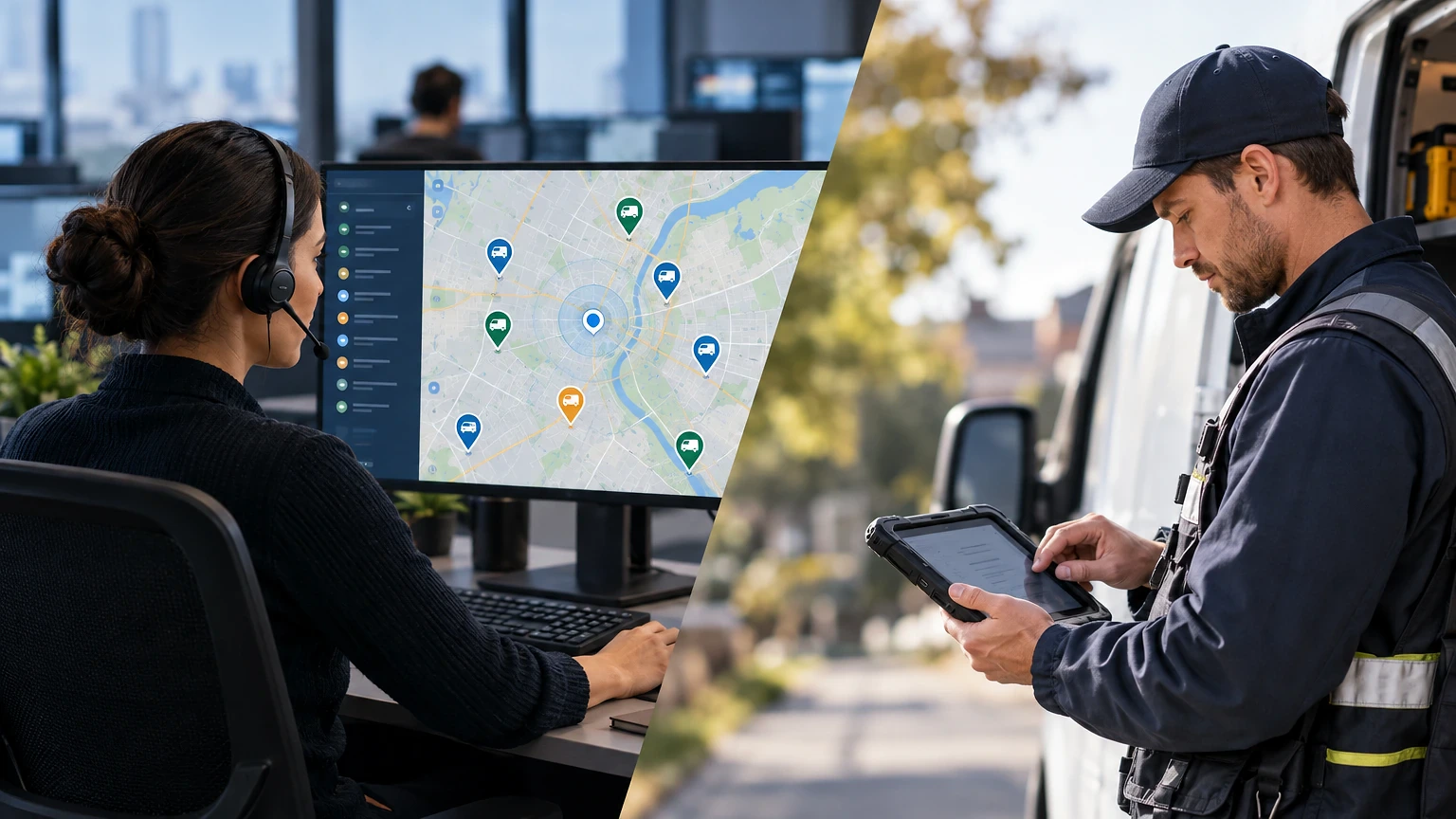
Platforms like ServiceTitan and Housecall Pro build this around a live map view. A dispatcher watching six trucks can reroute the nearest one instead of the next one in line. That single change, routing by proximity instead of queue order, is usually worth more to first-time fix rate than any other feature in the system.
Dispatching and Scheduling Without the Whiteboard
Most shops still running a whiteboard or a shared Google Calendar hit a wall around eight to ten trucks. Past that, nobody can hold the whole day in their head, and double-bookings start costing real money.
A commercial HVAC contractor running twelve techs across three counties needs more than a calendar grid. It needs skill tagging, so a boiler call doesn’t go to the guy who only does mini-splits, and it needs drag-and-drop rescheduling when a 2 p.m. slips to 4 p.m. and everything behind it shifts.
Jobber and FieldEdge both handle this with a visual dispatch board, color-coded by tech or by job type. The dispatcher drags a ticket into an open slot and the tech’s phone buzzes with the new address and job notes instantly.
Where this breaks down is data entry. If techs aren’t closing out jobs in real time, the dispatch board shows false availability, and you’ll double-book a tech who’s actually still elbow-deep in a condenser. The software only works if the field side feeds it accurately. That means training techs to close tickets before they leave the parking lot. Not at the end of the week.
Quick Picks: Work Order Software Worth Shortlisting
If you want the short version before reading the detailed breakdowns below, here are five platforms worth a demo call.
- ServiceTitan – best for larger HVAC and plumbing shops running 15+ trucks with heavy reporting needs.
- Housecall Pro – best for small to mid-size residential service businesses wanting fast setup.
- Jobber – best for multi-trade shops that want simple scheduling plus invoicing in one tool.
- FieldEdge – best for HVAC-heavy shops that want tight QuickBooks integration.
- UpKeep – best for internal maintenance teams managing equipment, not customer service calls.
Each of these handles the basics: work order creation, technician dispatch, and invoicing. Where they split apart is pricing structure, reporting depth, and whether they’re built for customer-facing service calls versus internal facility maintenance.
Comparing the Top Platforms Side by Side
| Platform | Best For | Pricing Model | Standout Feature |
|---|---|---|---|
| ServiceTitan | Large HVAC/plumbing/electrical shops | Quote-based, per-tech licensing | Call booking + revenue reporting |
| Housecall Pro | Small to mid-size residential service | Monthly subscription tiers | Fast onboarding, consumer financing |
| Jobber | Multi-trade field service businesses | Monthly subscription tiers | Simple drag-and-drop scheduling |
| FieldEdge | HVAC contractors needing accounting sync | Quote-based | Deep QuickBooks integration |
| UpKeep | Internal maintenance and asset teams | Free tier, then paid tiers | Asset history and preventive maintenance |
Notice none of these are one-size-fits-all. A plumbing outfit doing residential service calls has different needs than a facilities team maintaining conveyor belts in a warehouse. Match the tool to the work, not the other way around.
Where Preventive Maintenance Tracking Pays Off
Reactive dispatch solves today’s emergency. Preventive maintenance tracking stops tomorrow’s emergency from happening.
Picture a facilities manager running a commercial building with forty rooftop units. She needs to know which units are due for filter changes. Which compressors are approaching end of warranty? And which units have thrown three service calls in the past ninety days? That’s asset history, and it’s where tools like UpKeep and the asset modules inside ServiceTitan separate from basic dispatch software.
The process looks like this: every piece of equipment gets a record with install date, warranty terms, and a maintenance schedule. The software auto-generates a work order thirty days before a filter change is due. It does the same when a unit hits a runtime threshold, assuming it’s tied to a smart thermostat or meter. The tech closes out the ticket, logs parts used, and the next due date recalculates automatically.
Shops skipping this step tend to run a higher ratio of emergency calls to scheduled maintenance. That drags down average job margin. Emergency dispatch simply costs more in overtime and rush parts. If you’re building out a maintenance-heavy operation, the maintenance work order software picks built for that workflow handle recurring schedules far better than general dispatch tools retrofitted for it.
Mobile Tools Techs Actually Use in the Field
A work order system is only as good as what the tech sees on his phone standing in a mechanical room with bad signal.
The best mobile apps work offline and sync once connection returns. A tech pulling a work order for a chiller repair needs the unit’s service history, the customer’s gate code, and a place to attach photos of the failed part, all without waiting on a spinner. ServiceTitan’s mobile app and Jobber’s field app both cache job data locally for exactly this reason.
Photo and signature capture matters more than most owners realize until a customer disputes a bill. A tech who photographs the failed capacitor before replacing it, then gets a signature on the completed ticket, gives the office a paper trail that ends arguments fast. Voice-to-text notes speed this up too, since typing a full diagnostic summary with gloves on is nobody’s idea of fun.
Where mobile tools fall short is connectivity in rural service areas or deep in basements and crawlspaces. Test any platform’s offline mode before committing a whole fleet to it, because a system that locks up without signal turns a five-minute ticket close into a fifteen-minute headache, and that adds up across twenty jobs a week.
Pricing Models and What You’re Really Paying For
Pricing in this category splits into three buckets: flat monthly subscription per user, quote-based enterprise licensing, and free-tier-then-paid models aimed at smaller teams testing the water.
Housecall Pro and Jobber both run subscription tiers that scale with number of users and feature access, which makes budgeting predictable for a five-to-ten-truck shop. ServiceTitan and FieldEdge lean quote-based, with pricing tied to technician count and which modules you need, so a true number only comes after a sales call reviewing your operation.
UpKeep offers a free tier for very small teams, then paid tiers as you add asset tracking and advanced reporting. That structure suits an internal maintenance department testing the software before asking for budget approval.
The real cost isn’t the license fee anyway. It’s the setup time, importing customer records, building your service catalog, and training techs who’ve been writing tickets on carbon paper for fifteen years. Budget two to four weeks of rough edges during rollout no matter which platform you pick, and consider whether the platform’s work order management features match how your dispatchers actually think, not how a demo video shows it.
Choosing the Right System for Your Shop
The honest answer to “which work order software is best” is: it depends on your call volume, your trade mix, and whether you’re billing customers or just tracking internal assets. A twelve-truck HVAC shop juggling commercial contracts needs different horsepower than a two-person plumbing outfit.
Don’t buy more platform than your dispatch team can run. A tool with forty reporting dashboards is wasted on a shop where one person answers the phone and dispatches by gut feel. Start with the core loop, intake, dispatch, mobile close-out, invoice, and expand into preventive maintenance and advanced reporting once that loop runs clean.
Whatever you pick, the real test happens during your first chaotic week: a no-show tech, a same-day emergency, and a customer asking for proof of last year’s service. If the software makes that week easier instead of harder, it earned its spot in your truck.
Frequently asked questions
What is work order software used for?
It’s used to create, assign, track, and close out service jobs from first customer contact through invoicing. Dispatchers use it to route techs by location and skill, while techs use the mobile side to pull job history and close tickets in the field.
How much does work order software cost?
Pricing varies by platform and structure. Some run flat monthly subscriptions per user, others are quote-based depending on technician count and modules, and a few offer a free tier for very small teams before moving to paid plans.
Can work order software work without internet access?
Many mobile apps, including ServiceTitan and Jobber’s field apps, cache job data locally and sync once a connection returns. Always test offline performance before rollout, since basements and rural routes often have weak signal.
Is work order software worth it for a small HVAC shop?
For a shop running more than five or six trucks, yes, since whiteboards and shared calendars start causing double-bookings around that size. Smaller shops can still benefit from the mobile close-out and customer history features even with a lighter call volume.
What’s the difference between work order software and maintenance management software?
Work order software generally focuses on customer-facing service calls, dispatch, and invoicing. Maintenance management tools lean more toward internal asset tracking, preventive schedules, and equipment history, though many platforms now blend both functions.
