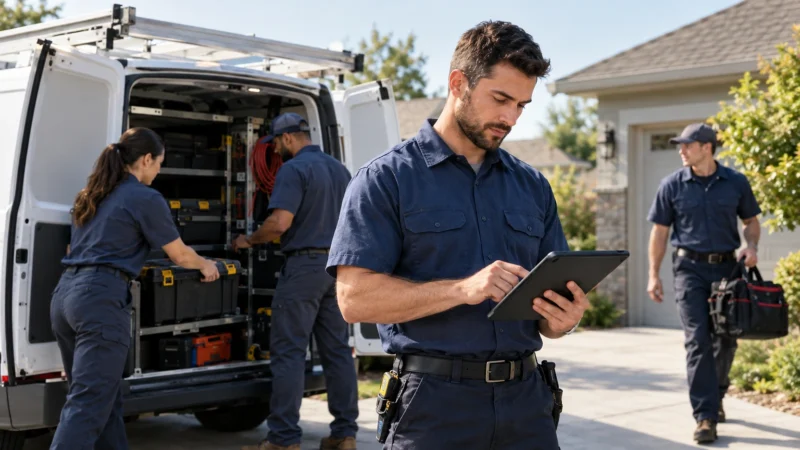
A handyman app is the phone-sized version of the office you do not have. It holds the day’s jobs, the customer history, the quote you sent last week, and the card reader that takes payment at the door.
Most small trades reach for one after a bad week: a missed appointment, a quote that never went out, an invoice nobody chased. So the question is rarely whether to use software. Instead it is which parts you actually need, and what you can safely ignore for now.

What a handyman app actually does
At minimum, a handyman app keeps a shared schedule, a customer record, and a way to send quotes and invoices from site. Everything else sits on top of those three.
The schedule is the part that changes your week. Because every job carries an address and a time, the app can order the day by location and cut the driving between calls.
Customer records matter more than they sound. When a caller says you fixed their deck last spring, you want the photos, the materials and the price in front of you before you quote the next job.
Reporting comes last. A simple view of jobs done, average ticket and unpaid invoices is plenty at this size. Anything richer tends to go unread.
Who needs one and who does not
A solo operator doing three jobs a day can run on a paper diary for a long time. Still, the moment you add a second person, memory stops being a system.
The clearer trigger is admin time. Once evenings disappear into invoicing, software pays for itself quickly.
A second trigger is worth watching. When customers start asking for a written quote before they book, paper stops looking credible.
If most of your work arrives as scheduled maintenance rather than one-off calls, dedicated work order software may suit you better. Short, repeated visits are where this lighter category earns its keep.
Handyman app vs general field service software
A handyman app is deliberately lighter. General field service platforms handle inventory, contracts, multi-crew dispatch and service agreements, which a two-van shop rarely touches.
That lightness is the point. Fewer fields mean the job gets logged on site rather than at eleven at night. Meanwhile the heavier platforms win once you run several crews or carry stock.
Pricing reflects that gap. Lighter tools cost less per seat. However, they also stop scaling at a point you may reach sooner than you expect.
Our comparison of field service management software covers the larger end, so start there if you are already past five technicians.
The features that matter on a small crew
Drag-and-drop scheduling, job photos, quotes you can send from the driveway, and card payment on site. Those four cover most of the daily grind.
Dispatch matters even for two people. Because the app notifies the technician directly, you stop phoning to confirm the next address, and the customer gets an arrival window automatically.
After that, look for a decent search. You will want to find a job by street name, not by invoice number.
Templates save real time as well. Build three or four standard quotes for your commonest jobs, then adjust the price on site.
Offline mode deserves a check too. Basements, crawl spaces and rural calls all drop signal, so the app should queue the work and sync when it reconnects.
What a handyman app costs
Expect roughly twenty to sixty dollars per user each month for a handyman app, with payment processing charged separately at around three percent.
Watch the per-user pricing. A ten-dollar difference matters little at one seat and a great deal at six, so model the price at the size you expect next year.
Add-ons are where budgets drift. Marketing modules, call answering and advanced reporting usually sit on top of the headline figure, and most small shops never touch them.
Set the spend against what admin hours cost you. The Small Business Administration’s guidance on managing business finances is a sensible frame for that comparison.
Quotes, invoices and getting paid
Send the quote before you leave the driveway. Conversion drops sharply once a day passes, and the app removes the excuse for waiting.
Take payment on site wherever you can. Card readers that pair with the app clear the invoice immediately, which beats chasing a bank transfer for three weeks.
For jobs that do get invoiced, switch on automatic reminders. Nobody enjoys chasing, so let the software do the nagging.
Deposits are worth enabling too. Ask for a share up front on material-heavy work, since that protects you if the customer changes their mind.
Track margin by job type as well. Simple job costing shows whether your call-out rate still covers the real cost of turning up.
What to check before you commit to a handyman app
Run a real week through the trial. Enter actual jobs, send actual quotes, and take one payment. A demo tells you nothing about how the app behaves with dirty hands and a cracked screen.
Check how you get your data out. Export matters most on the day you leave, and some tools make it deliberately awkward.
Ask what happens on the phone you already own. Older handsets struggle with heavy apps, and a technician who hates the app will quietly stop using it.
Finally, check support hours against your working day. A trade that starts at seven wants help before nine.
Mistakes that waste the first month
The usual mistake is importing everything at once. Start with live jobs and this month’s customers, then backfill later if you ever need to.
Second, owners configure endlessly. Custom fields and tags feel productive, yet they rarely change the result.
Third, crews never get trained. Ten minutes in the van beats a manual nobody opens.
Finally, shops run paper and software side by side for months. Pick a date, switch fully, and accept a rough fortnight.
A fifth mistake is ignoring what the app tells you. It records every job, so read the monthly summary at least once.
How a handyman app fits the rest of your tools
A handyman app should feed your accounting package rather than replace it. Check that integration before you buy, because manual re-entry undoes most of the time you saved.
Reviews are the other connection worth making. Set the app to request one when a job closes, and follow Google’s advice on asking customers for reviews so the requests stay within the rules.
Keep everything else out. Most shops need jobs, accounts and a phone, and nothing more until a specific problem appears.
Frequently asked questions about handyman apps
Do you need a handyman app for a one-person business?
Not immediately. Once you lose track of a quote or miss a visit, though, the cost of the software looks small beside the cost of the job you dropped.
Will it work without a signal?
Good ones will. Look for an offline mode that queues photos and job notes, then syncs as soon as the phone finds a connection.
How long does setup take?
An afternoon for the basics. Importing customers and connecting the accounting package usually adds a day, and most providers will sit with you while you do it.
The practical takeaway
Pick a handyman app for the three jobs it must do: hold the schedule, send the quote, and take the money. Trial it on a real week, train the crew in ten minutes, then switch fully on a chosen date. The app that actually gets used beats the app with the longer feature list every time.